
WBS
$15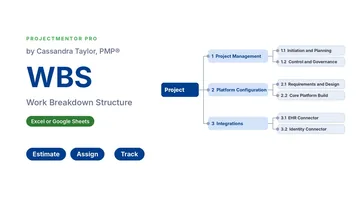 Watch the walkthrough1:46
Watch the walkthrough1:46
Watch the walkthrough1:46
- Excel workbook
- Opens in Google Sheets
- 6 tabs
A work breakdown structure is the whole scope of your project, broken into pieces small enough to estimate, assign and track. If it is not in the WBS, it is not in the plan. Most scope creep starts with work nobody wrote down.
This workbook builds the outline for you. Set a level for each row and the WBS code (1, 1.1, 1.1.1) writes itself. Enter hours and a role on the lowest-level work packages, and every parent row totals its children for hours, cost and percent complete.
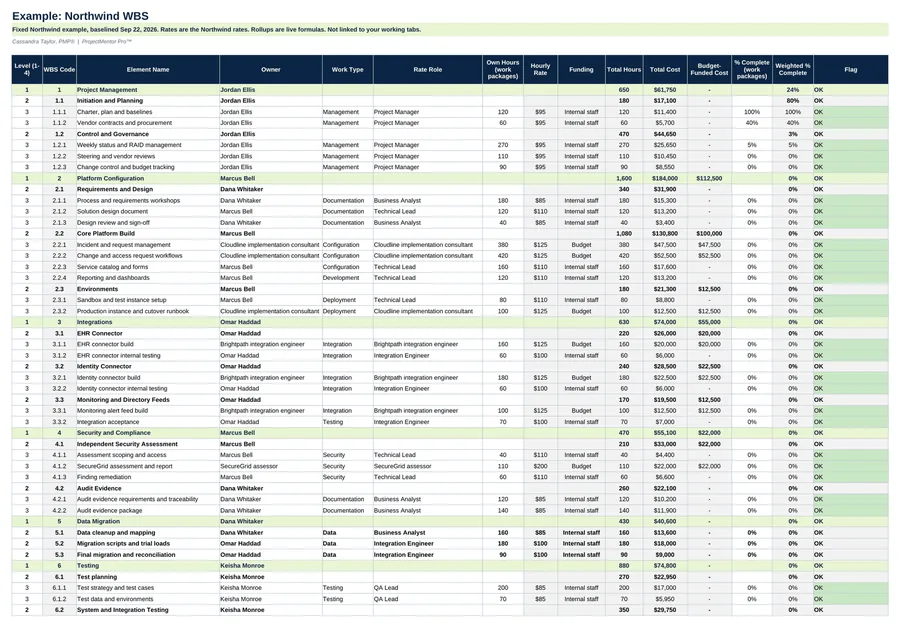
- WBS tab. Levels 1 to 4 with automatic codes, one owner per element, rate role and hours on work packages, and cost from the rate table.
- Rollups. Parent rows total hours and cost and show a weighted percent complete, based on hours.
- Flags. The Flag column shows No owner, No estimate or No rate role, so gaps get fixed before the baseline.
- Dashboard. Each level 1 branch at a glance.
- Settings. Budget, contingency, costs that are not work packages, and your roles with an hourly rate and funding source.
Also included in Complete Toolkit ($99), Initiation and Planning Pack ($49), Project Kickoff Kit ($35).
Includes a How to Use guide tab. The green Example tabs stand alone and can be deleted. Licensed for use by the individual purchaser on their own projects.
See the WBS in action
A quick tour of the workbook, narrated by Cassandra Taylor, PMP: what goes in, what calculates for you and what the dashboard shows.
Read the transcript
If it is not in the WBS, it is not in the plan. Most scope creep starts with work nobody wrote down.
I'm Cassandra Taylor, and this is the WBS, short for work breakdown structure. One workbook, in Excel or Google Sheets, that breaks your whole project into pieces small enough to estimate, assign and track.
Set a level for each row, and the WBS code writes itself. Then apply the 100% rule: the children of every element must cover all of its work, and nothing more.
Enter hours and a rate role on the work packages only. Cost calculates from the rate table, and every parent row totals its children. Here, 5,900 hours roll up across eight branches.
Gaps light up before they cost you. A row with no owner, no estimate, or no rate role gets a flag. Here, all forty-one work packages are owned and estimated, so nothing is flagged.
Then it ties to your budget. Start with the baseline, subtract the contingency and the fees held outside the WBS, and the Dashboard compares budget-funded work to what is left. Here, $260,000 is available and $260,000 is planned, so nothing is over. Each vendor line ties to its contract, to the dollar.
You're the conductor of the orchestra. I stay ready, so I don't have to get ready, right? Add the WBS to your cart and break down your next project today.
What's inside
Tabs
How to Use, WBS, Dashboard and Settings, plus Example WBS and Example Dashboard.
Worked example
A 66-element WBS for the $480,000 Northwind ITSM platform replacement, with vendor cost lines tied to the budget baseline.
Pairs with
The WBS Dictionary uses the same codes and names.