
Issue Log
$9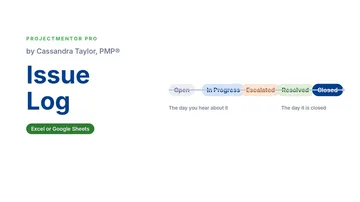 Watch the walkthrough1:48
Watch the walkthrough1:48
Watch the walkthrough1:48
- Excel workbook
- Opens in Google Sheets
- 6 tabs
A risk is something that might happen. An issue is something that already did. The moment a risk becomes real, it lands here, with an owner, a date, and a plan. An issue without an owner is just a complaint.
Most issue logs fail because nobody looks at them. This workbook counts how long every issue has been open, flags what is overdue or due this week, and uses an escalation matrix so the right person is pulled in before a small problem becomes a milestone slip.
- Issue Log. Title, description, category, severity, status, owner, dates, root cause and resolution plan. ID, days open, days until target, due flag and escalation level fill in on their own.
- Escalation matrix. Looks up severity and age on the Settings tab. A High issue open for 15 days needs the Sponsor. Change the matrix to fit your governance.
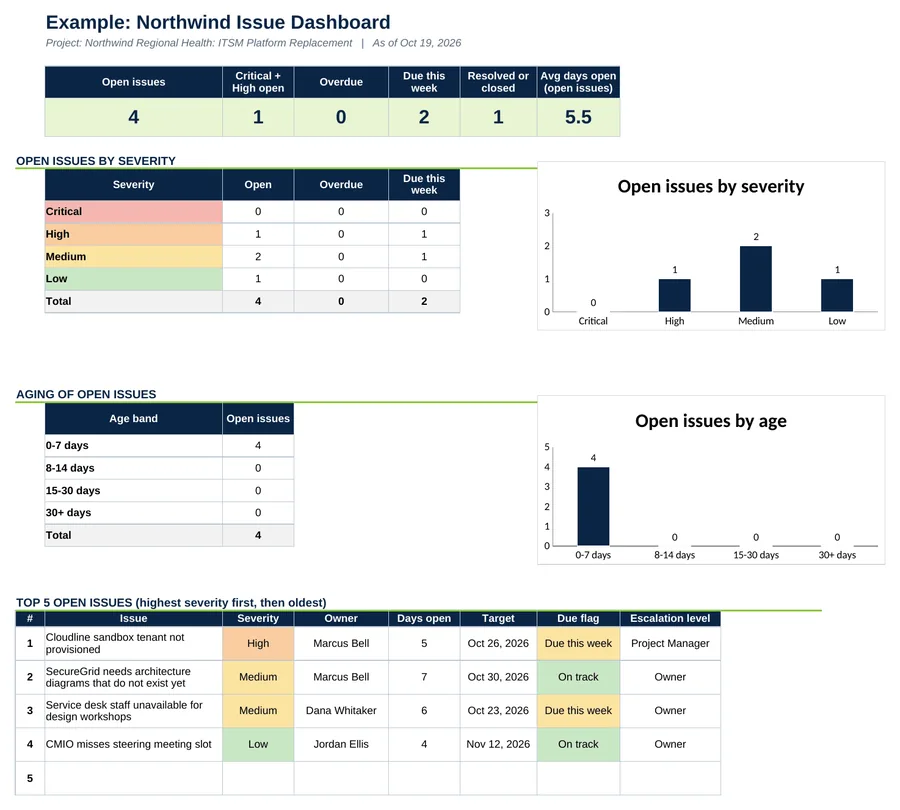
- Dashboard. Open issues, overdue and due this week, open issues by severity and by age, and the top 5 open issues.
Also included in Complete Toolkit ($99), Tracking and Control Pack ($49), Risk and Issue Command Center ($39).
Includes a How to Use guide tab. The green Example tabs stand alone and can be deleted. Licensed for use by the individual purchaser on their own projects.
See the Issue Log in action
A quick tour of the workbook, narrated by Cassandra Taylor, PMP: what goes in, what calculates for you and what the dashboard shows.
Read the transcript
A risk might happen. An issue already did. The moment a risk becomes real, it needs an owner, a date, and a plan. An issue without an owner is just a complaint.
I'm Cassandra Taylor, and this is the Issue Log. One workbook, in Excel or Google Sheets, that tracks every problem from the day you hear about it to the day it is closed.
Type the issue, the owner, and the target date. The workbook does the counting. It shows how many days the issue has been open, how many remain to the target, and whether it is overdue, due this week, or on track.
Then write the root cause, not just the symptom. Here, the service desk missed the design workshops because month-end leaves it short-staffed. So the plan moves the workshops, and collects notes by survey, instead of chasing attendance.
Escalation follows a rule you agree on up front. The matrix looks at severity and age. A High issue open for fifteen days goes to the sponsor. A Low issue open for eight days is still the owner's job.
The Dashboard shows where to look first. Overdue, due this week, and the top five by severity and age. Here, four issues are open, two are due this week, and none are overdue.
You're the conductor of the orchestra. I stay ready, so I don't have to get ready, right? Add the Issue Log to your cart and give every problem an owner and a date today.
What's inside
Tabs
How to Use, Dashboard, Issue Log and Settings, plus Example Dashboard and Example Issue Log.
Worked example
Five Northwind issues, each with a named root cause, not just a symptom.
How to Use
A 30-minute quick start, what the gray columns do and three common misses.