
Milestone Schedule
$15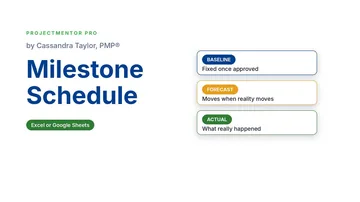 Watch the walkthrough1:40
Watch the walkthrough1:40
Watch the walkthrough1:40
- Excel workbook
- Opens in Google Sheets
- 8 tabs
Milestones are the dates your sponsor remembers. Tasks can move all week without anyone noticing, but a milestone is a promise. The only honest way to manage promises is to hold the baseline still and show the forecast next to it.
This workbook keeps three dates for every milestone: baseline, forecast and actual. It calculates the slip, sets the status and RAG color from thresholds you control, draws a timeline of baseline against forecast, and rolls it all into a dashboard.
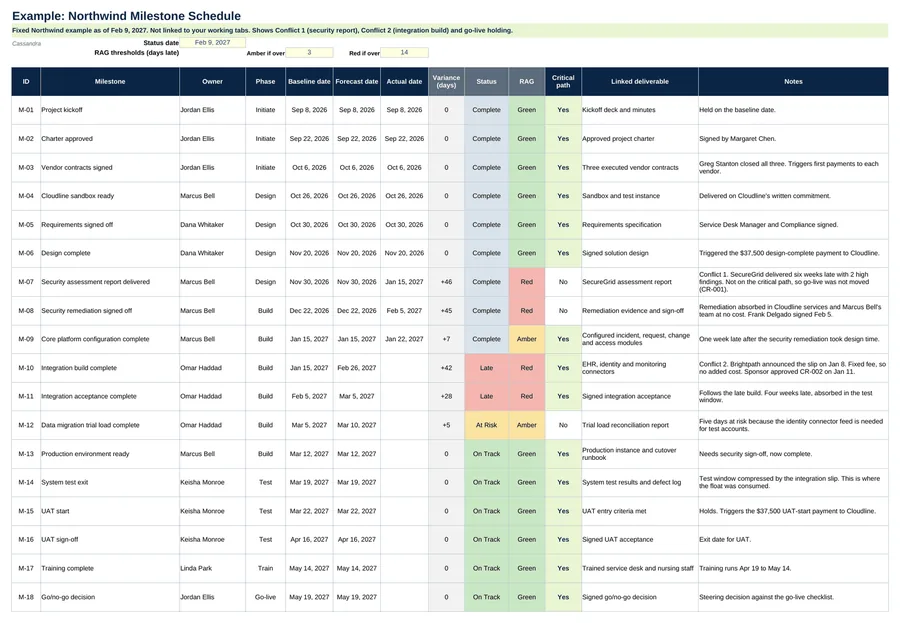
- Milestones. ID, name, owner, phase, baseline, forecast and actual dates, critical path flag. Variance, status and RAG calculate on their own.
- Timeline. Baseline and forecast side by side for every milestone.
- Dashboard. The next five milestones due, every slipped milestone, and the health of your end date, including float consumed on the critical path.
- Settings. Status date, amber and red thresholds in days, timeline start date and the ID of your key end-date milestone.
Also included in Complete Toolkit ($99), Initiation and Planning Pack ($49).
Includes a How to Use guide tab. The green Example tabs stand alone and can be deleted. Licensed for use by the individual purchaser on their own projects.
See the Milestone Schedule in action
A quick tour of the workbook, narrated by Cassandra Taylor, PMP: what goes in, what calculates for you and what the dashboard shows.
Read the transcript
Tasks can move all week without anyone noticing. A milestone is a promise. And the only honest way to manage a promise is to hold the baseline still, and show the forecast next to it.
I'm Cassandra Taylor, and this is the Milestone Schedule. One workbook, in Excel or Google Sheets, with three dates for every milestone: baseline, forecast, and actual.
Give each milestone an ID, an owner, a phase, and a baseline date. Keep it to fifteen to twenty-five milestones. The events your sponsor remembers, not tasks.
Never touch the baseline. When a date moves, type it in Forecast. When it happens, type the actual. The workbook calculates the variance, the status, and a red, amber, or green flag.
The timeline draws baseline against forecast, week by week. The pale bar is the slip. Here, the integration build was due January 15, and now lands February 26, six weeks late.
The Dashboard tells you whether your end date is safe. Here, go-live still holds May 24, but forty-two days of critical path slip used up the float, so none is left.
You're the conductor of the orchestra. I stay ready, so I don't have to get ready, right? Add the Milestone Schedule to your cart, and keep every promise visible.
What's inside
Tabs
How to Use, Milestones, Timeline, Dashboard and Settings, plus three Example tabs.
Worked example
21 milestones for the Northwind ITSM project as of Feb 9, 2027. Go-live on May 24 still holds, with the float used up.
Ground rule
Never change the baseline. Only an approved change request moves it.