
Change Log
$12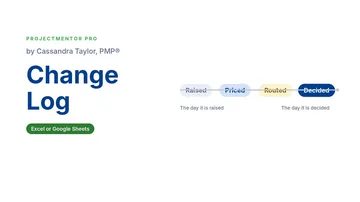 Watch the walkthrough2:13
Watch the walkthrough2:13
Watch the walkthrough2:13
- Excel workbook
- Opens in Google Sheets
- 6 tabs
Every project gets changes. The change itself is rarely the problem. The problem is a change that nobody wrote down, nobody priced, and the wrong person approved.
This workbook is the one place every change request lives. It works out who has the authority to approve each change, flags a change approved by someone below that level, and keeps a running total of what the changes have done to your budget.
- Change Log. Date, title, requester, category, description, cost and schedule impact, plus two Y/N questions: does it move go-live or a critical milestone, and is it absorbed in an existing budget line? The CR ID numbers itself.
- Required Approver. Calculated from cost and schedule. If the actual approver is below the required level, the Authority Check shows a red warning.
- Budget logic. Approved cost that is not absorbed consumes contingency first. Anything beyond it is new money and raises the revised budget.
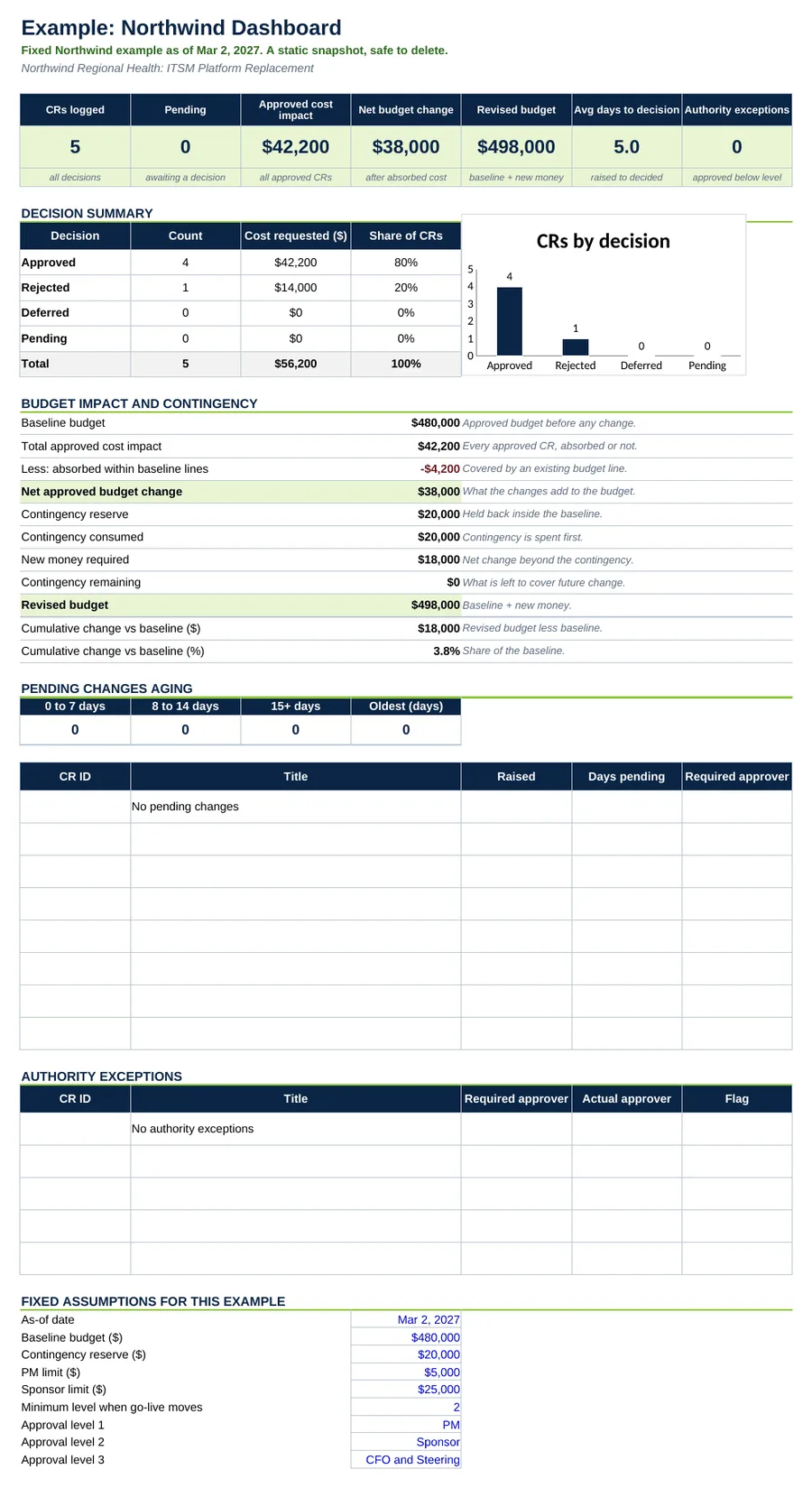
- Dashboard. Pending changes and how long they have waited, authority exceptions and the budget impact.
Also included in Complete Toolkit ($99), Change and Governance Pack ($19), Money and Scope Control Kit ($39).
Includes a How to Use guide tab. The green Example tabs stand alone and can be deleted. Licensed for use by the individual purchaser on their own projects.
See the Change Log in action
A quick tour of the workbook, narrated by Cassandra Taylor, PMP: what goes in, what calculates for you and what the dashboard shows.
Read the transcript
Every project gets changes. The change itself is rarely the problem. The problem is a change that nobody wrote down, nobody priced, and the wrong person approved. That is how a $480,000 budget quietly becomes $520,000.
I'm Cassandra Taylor, and this is the Change Log. One workbook, in Excel or Google Sheets, where every change request lives, from the day it is raised to the day it is decided.
Log each change once. Type the date, the title, the requester, the cost, and the days of schedule impact. Then answer two questions. Does it move go-live? Is the cost already covered by an existing budget line? The workbook works out who must approve it.
The approval rules are yours to set. Here, the project manager approves up to $5,000. The sponsor approves up to $25,000. Anything above that goes to the CFO and steering. And a change that moves go-live goes to the sponsor at minimum, even when it costs nothing.
Then record who actually decided. If the approver sits below the required level, the Authority Check shows a red warning, and you fix it before the decision stands.
Now follow a $38,000 scope add. Contingency is spent first. The full $20,000 reserve goes, and $18,000 is new money, so the budget moves from $480,000 to $498,000. Another change cost $4,200, but it sits inside an existing line, so it never touches the budget.
The Dashboard puts it on one page for your steering meeting. Five changes logged, four approved, none pending, and no authority exceptions.
You're the conductor of the orchestra. I stay ready, so I don't have to get ready, right? Add the Change Log to your cart, and stop letting budgets drift.
What's inside
Tabs
How to Use, Dashboard, Change Log and Settings, plus Example Dashboard and Example Change Log.
Worked example
Five Northwind change requests as of Mar 2, 2027. Follow CR-003, a $38,000 scope add that used the whole contingency and needed $18,000 of new money.
Settings
Project name, baseline budget, contingency reserve and approval limits. Defaults: PM up to $5,000, Sponsor up to $25,000, CFO and steering above that.